> For the complete documentation index, see [llms.txt](https://doc.realvirtual.io/llms.txt). Markdown versions of documentation pages are available by appending `.md` to page URLs; this page is available as [Markdown](https://doc.realvirtual.io/extensions/mcp-server.md).
# realvirtual.io MCP Server
Give AI agents full control over your Unity Editor — scenes, GameObjects, components, simulation, digital twins, and more.
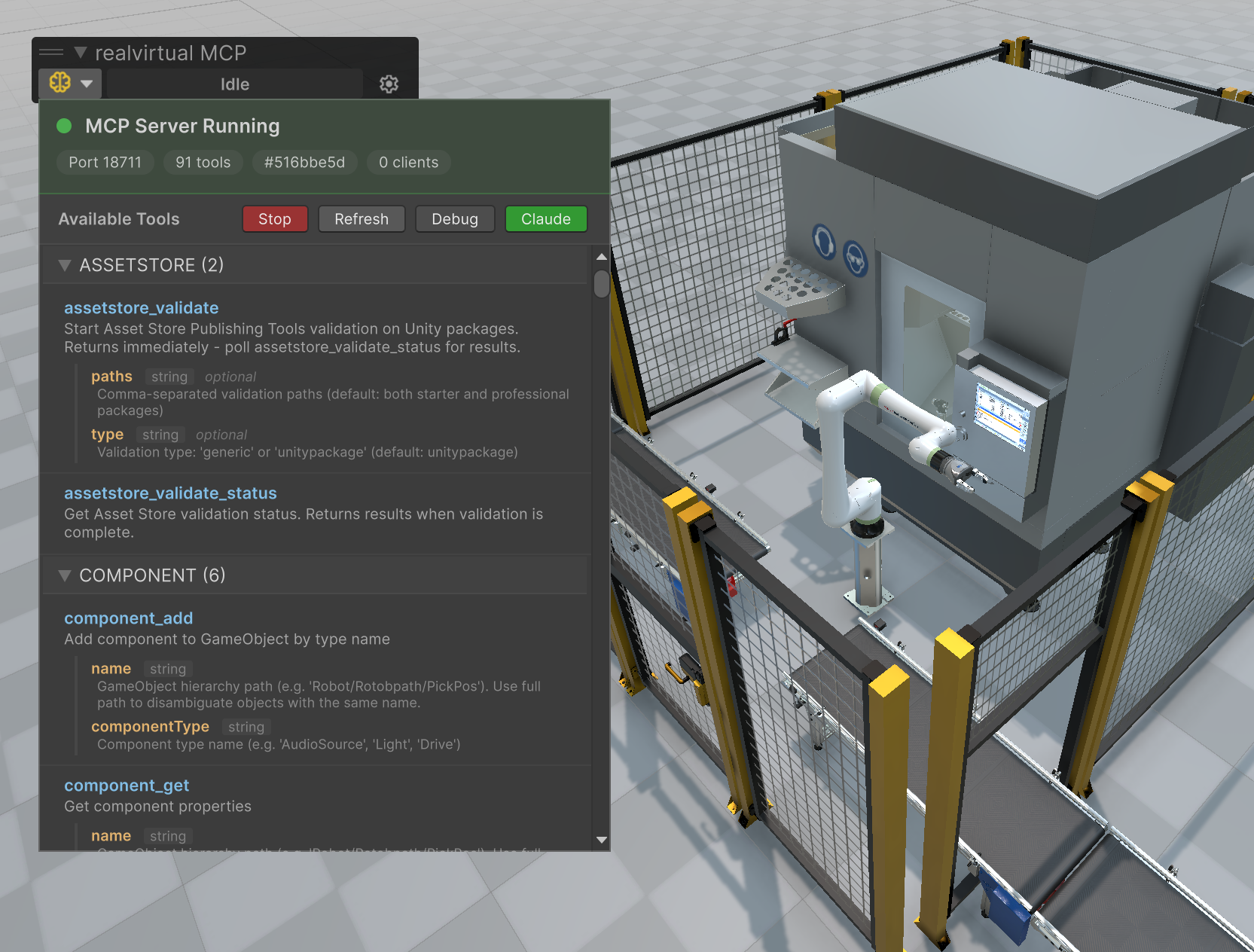
MCP Server running in Unity with 91 tools available for AI agents
## Overview
The realvirtual MCP Server is a free, open-source Unity package that implements the [Model Context Protocol (MCP)](https://modelcontextprotocol.io). It lets AI agents like **Claude**, **Cursor**, or any MCP-compatible client interact with Unity in real time.
The package works with **any Unity project** — including industrial digital twins, robotics simulation, and virtual commissioning.
### How It Works
```
AI Agent (Claude Desktop / Claude Code / Cursor)
|
| MCP Protocol (stdio or SSE)
v
Python MCP Server
|
| WebSocket (JSON, Port 18711)
v
Unity Package (C# WebSocket server + tool registry)
```
The package runs a WebSocket server inside the Unity Editor. When an AI agent sends a tool call, the Python MCP server forwards it over WebSocket to Unity, which executes it on the main thread and returns the result.
### Key Features
* **Works with any Unity project** — Not tied to a specific framework or asset
* **Zero Python knowledge needed** — Define tools in C#, the language you're already using
* **Auto-discovery** — Tools are found via reflection, no manual registration
* **90+ built-in tools** — Scene, GameObjects, components, transforms, simulation, screenshots, and more
* **Extensible in minutes** — Add `[McpTool]` to any static method and it's available to AI agents
* **Self-contained** — Ships with embedded Python 3.12, no system Python required
* **One-click setup** — Download Python server and configure Claude from the Unity toolbar
* **Survives domain reloads** — Auto-reconnects after Unity recompiles scripts
* **Multi-instance support** — Run multiple Unity instances, each with its own MCP server
### Digital Twin Tools with realvirtual
When combined with the [realvirtual](https://realvirtual.io) framework, you get additional MCP tools purpose-built for industrial digital twins and virtual commissioning:
* **Drives** — Control motors, actuators, conveyors
* **Sensors** — Read industrial sensors
* **PLC Signals** — Read/write PLC I/O
* **Robot IK** — Inverse kinematics control
This enables AI agents to operate complete virtual factory simulations — move robots, control conveyors, read sensors, and interact with PLC programs in real time.
### Toolbar Status
The toolbar brain icon shows connection state:
| Color | Meaning |
| ------ | ------------------------------------ |
| Gray | Server stopped |
| Yellow | Server running, no clients connected |
| Green | Client(s) connected |
The activity label next to it shows the currently executing tool call with elapsed time.
## Links
* **GitHub (Unity Package):** [github.com/game4automation/io.realvirtual.mcp](https://github.com/game4automation/io.realvirtual.mcp)
* **GitHub (Python Server):** [github.com/game4automation/realvirtual-MCP](https://github.com/game4automation/realvirtual-MCP)
* **License:** MIT
{% hint style="info" %}
This package is provided as-is. For commercial customers of [realvirtual](https://realvirtual.io), we offer professional services for digital twin development, virtual commissioning, and AI agent integration.
{% endhint %}
---
# Agent Instructions
This documentation is published with GitBook. GitBook is the documentation platform designed so that both humans and AI agents can read, navigate, and reason over technical content effectively. Learn more at gitbook.com.
## Querying This Documentation
If you need additional information that is not directly available in this page, you can query the documentation by asking a question.
Perform an HTTP GET request on the following URL with the `ask` and `goal` query parameters:
```
GET https://doc.realvirtual.io/extensions/mcp-server.md?ask=&goal=
```
`ask` is the immediate question: it should be specific, self-contained, and written in natural language.
`goal` is what the user is ultimately trying to achieve, the reason they need the answer. Sharing it helps GitBook give you a better, more relevant answer. A goal is most helpful when it describes the outcome the user wants rather than restating the question. For example, with `ask=how do I create an API token`, a goal like `automate deployments from our CI pipeline` lets GitBook tailor the answer to that use case.
The response will contain a direct answer to the question and relevant excerpts and sources from the documentation.
Use this mechanism when the answer is not explicitly present in the current page, you need clarification or additional context, or you want to retrieve related documentation sections.