> For the complete documentation index, see [llms.txt](https://doc.realvirtual.io/llms.txt). Markdown versions of documentation pages are available by appending `.md` to page URLs; this page is available as [Markdown](https://doc.realvirtual.io/basics/login-and-download-updates-pro.md).

# Login & Download Updates (Pro)

Customers using the **Professional version** of realvirtual can access the **User Hub**, an in-app tool to manage your license, download updates, and activate the UPM registry.

The User Hub has four tabs: **News**, **Login**, **Downloads**, and **Packages**.

## Opening the User Hub

Access the User Hub from the Unity main menu:\
\&#xNAN;**`Tools > realvirtual > User Hub`**

Or via the realvirtual toolbar dropdown in the editor toolbar.

## Login

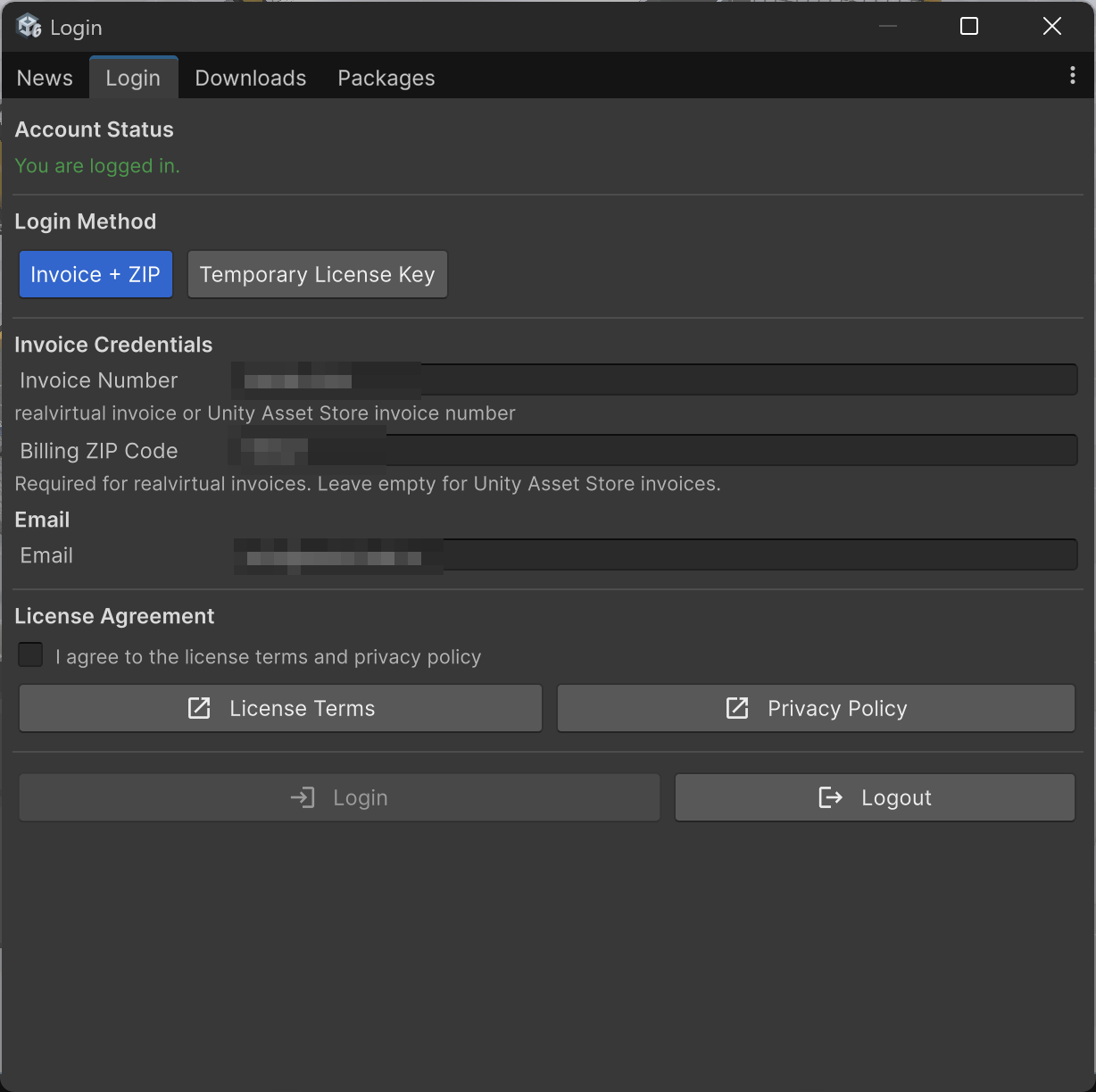
The **Login** tab offers two login methods, selectable at the top:

### Invoice + ZIP

Use this method if you purchased realvirtual directly or via the Unity Asset Store:

1. Select **Invoice + ZIP** as the login method
2. Enter your **Invoice Number** — a realvirtual invoice or Unity Asset Store invoice number
3. Enter your **Billing ZIP Code** — required for realvirtual invoices, leave empty for Unity Asset Store invoices
4. Enter your **Email** address
5. Check the **License Agreement** checkbox
6. Click **Login**

### Temporary License Key

Use this method if you received a **Partner Key** (`PK-XXXX-XXXX-XXXX`) or a **Temporary Code** (`SUB-XXXX-XXXX-XXXX-XXXX`) from your sales partner or license administrator:

1. Select **Temporary License Key** as the login method
2. Enter your key or code in the **Code** field
3. Enter your **Email** address
4. Click **Login**

Your license activates immediately. Keys and codes track concurrent sessions — when you close Unity, your seat is freed for others.

{% hint style="info" %}
Temporary codes are generated by your license administrator via the [Customer Portal](/basics/customer-portal.md). Partner Keys are provided by your sales partner.
{% endhint %}

Once logged in, the **Account Status** shows **You are logged in** in green.

<figure><img src="/files/RKMWCiLFTzJFxITsKpVk" alt=""><figcaption><p>User Hub — Login tab with Invoice + ZIP method</p></figcaption></figure>

## Downloads

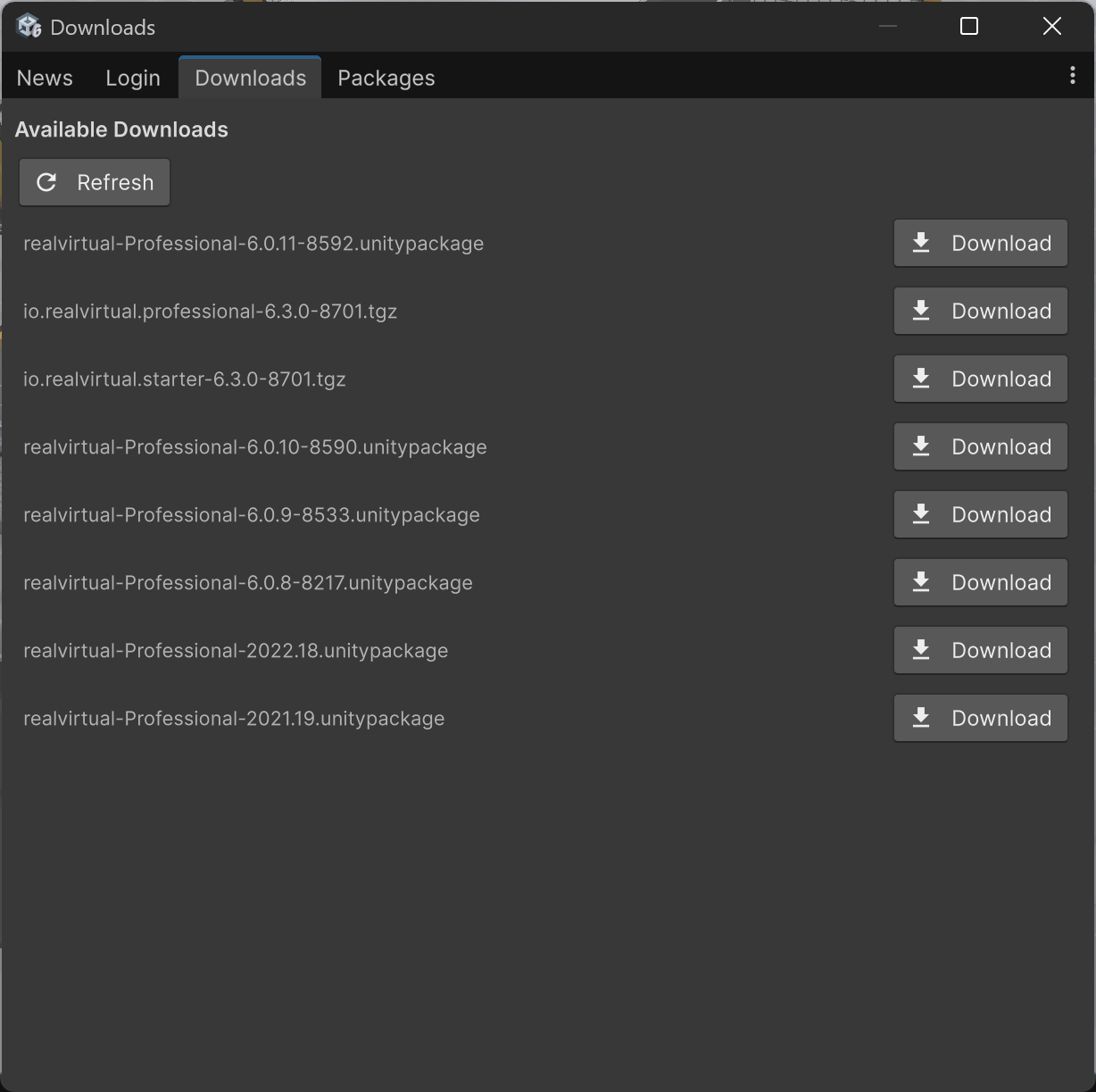
The **Downloads** tab lists all packages available for your license. Click **Refresh** to update the list.

Available packages include:

* **UPM packages** (`.tgz`) — For Unity 6 projects (e.g., `io.realvirtual.professional`, `io.realvirtual.starter`)
* **Legacy packages** (`.unitypackage`) — For older Unity versions
* **Archived versions** — Previous releases for backward compatibility

Click **Download** next to any package to download it.

### One-Click Install

{% hint style="info" %}
This feature was added in realvirtual **6.3.5** (Professional).
{% endhint %}

UPM packages (`.tgz`) additionally show an **Install** button. Click it to download the package and install it directly into the open project — no manual **Package Manager → Add package from tarball** step needed. The status line below the file list shows the download progress and the installation result.

The package is installed as a local tarball in your project's `Packages` folder. If you use the UPM registry (see below), activating the registry switches the package back to registry-based updates.

When installing realvirtual for the first time into a project, install `io.realvirtual.starter` before `io.realvirtual.professional`.

<figure><img src="/files/uGGRxegcQLVc1vXNIelo" alt=""><figcaption><p>User Hub — Downloads tab with available packages</p></figcaption></figure>

## Packages

{% hint style="info" %}
This feature was added in realvirtual **6.3**.
{% endhint %}

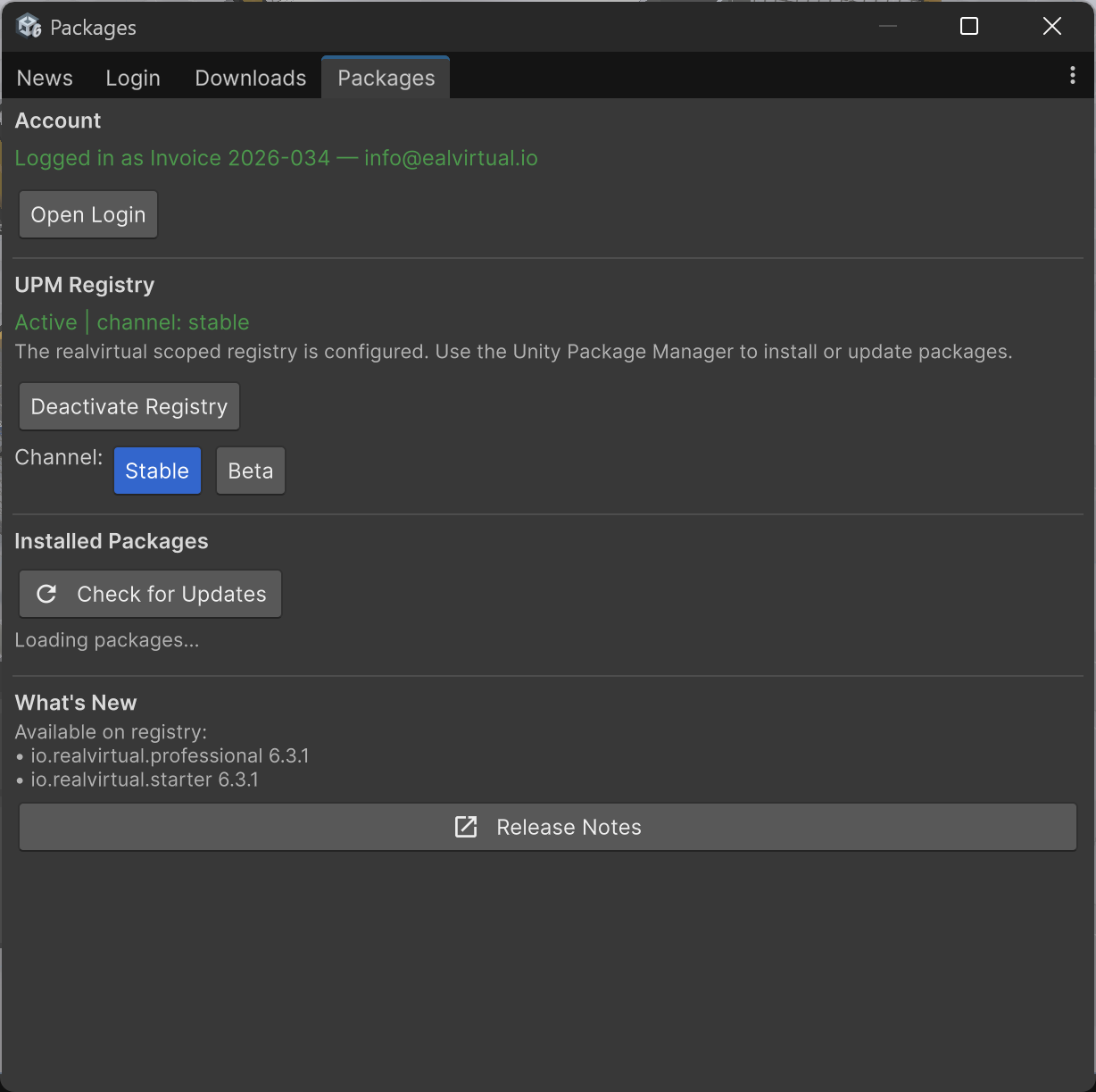
The **Packages** tab manages the realvirtual UPM scoped registry for automatic package updates.

### UPM Registry

After logging in, click **Activate Registry** to configure the realvirtual scoped registry in your project. Once active, the status shows **Active** in green along with the current channel.

Select a **Channel**:

* **Stable** — Production-ready releases
* **Beta** — Early access to upcoming features

### Installed Packages

Click **Check for Updates** to see if newer versions are available on the registry.

### What's New

Shows the latest package versions available on the registry. Click **Release Notes** to open the full release notes in your browser.

<figure><img src="/files/VgtLsJoMD0cjZlXsFWA4" alt=""><figcaption><p>User Hub — Packages tab with UPM registry and channel selection</p></figcaption></figure>

Once the registry is activated, realvirtual packages also appear in **Window > Package Manager** under "My Registries" and can be updated like any other UPM package.

### Updates Behind Corporate Proxies

{% hint style="info" %}
This feature was added in realvirtual **6.3.5** (Professional).
{% endhint %}

Some corporate networks use TLS-inspection proxies that replace server certificates with a company-internal certificate. The Unity Package Manager validates certificates against its own certificate store, so registry updates can fail with a certificate error even though the realvirtual registry certificate is valid.

The User Hub handles this automatically: when a package update fails with a certificate or network error, it downloads the package directly using the operating system trust store, saves it as a tarball in your project's `Packages` folder, and installs it from there. The status line shows the download progress. No manual steps are required — just click **Update** as usual.

After a fallback installation, the package is referenced as a local tarball in your `manifest.json`. As soon as the registry is reachable again (for example after your IT adds an exception), click **Activate Registry** to switch the package back to registry-based updates.

For a permanent solution, ask your IT department to exclude `download.realvirtual.io` from TLS inspection — the same exception commonly configured for npm or NuGet registries.

## News

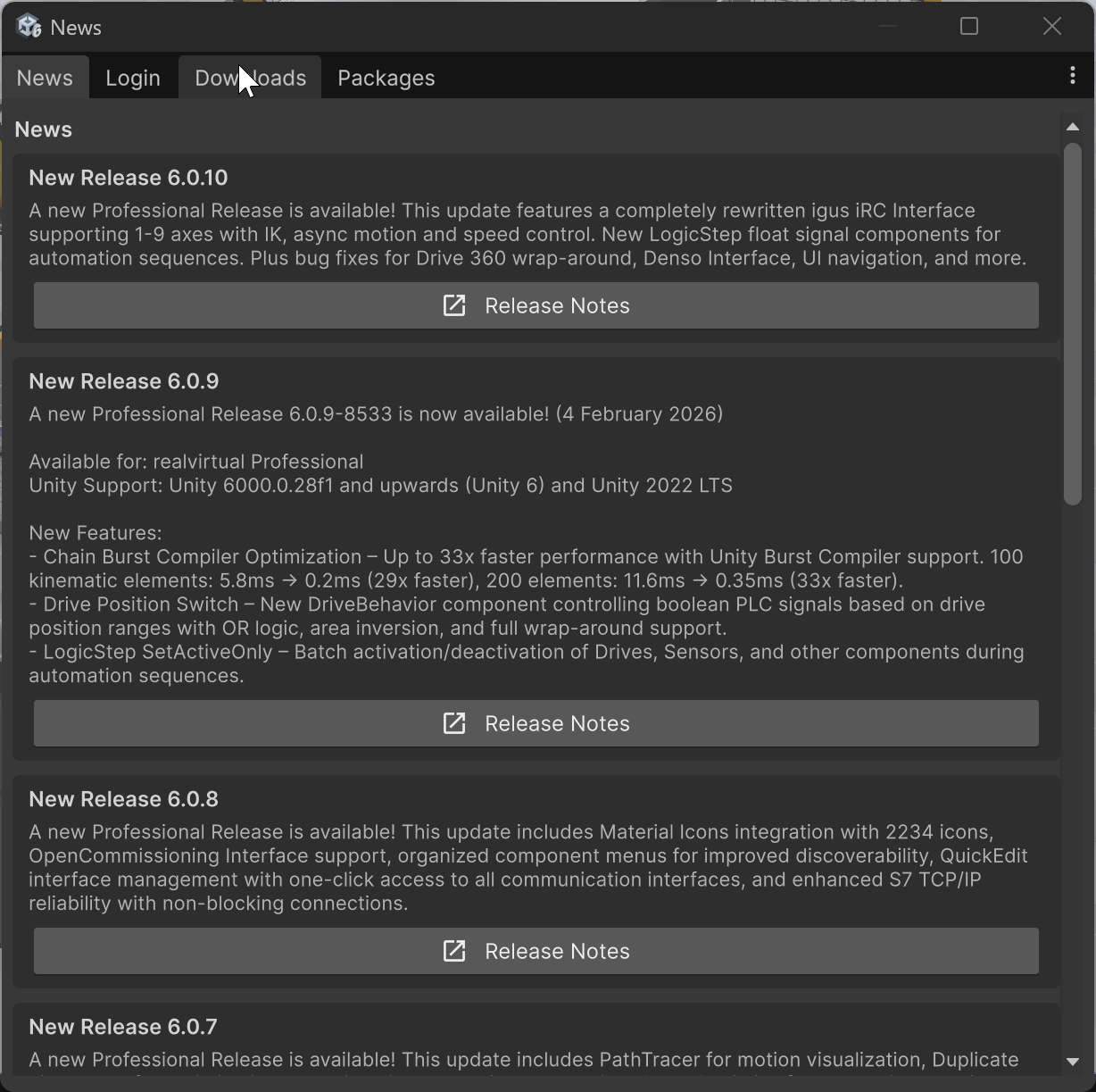
The **News** tab displays release notes and information about new features for each version. It appears automatically once when you start the Unity Editor.

Each release entry includes a summary of new features, improvements, and bug fixes along with a **Release Notes** button linking to the full documentation.

<figure><img src="/files/2Fi4S86vzEae2wO0n3MM" alt=""><figcaption><p>User Hub — News tab with release information</p></figcaption></figure>

## See Also

* [Customer Portal](/basics/customer-portal.md) — Web-based license management, temporary code generation, and invoice access at [download.realvirtual.io](https://download.realvirtual.io)


---

# Agent Instructions
This documentation is published with GitBook. GitBook is the documentation platform designed so that both humans and AI agents can read, navigate, and reason over technical content effectively. Learn more at gitbook.com.

## Querying This Documentation
If you need additional information that is not directly available in this page, you can query the documentation dynamically by asking a question.

Perform an HTTP GET request on the current page URL with the `ask` query parameter, and the optional `goal` query parameter:

```
GET https://doc.realvirtual.io/basics/login-and-download-updates-pro.md?ask=<question>&goal=<endgoal>
```

`ask` is the immediate question: it should be specific, self-contained, and written in natural language.
`goal` is optional and describes the broader end goal you are ultimately trying to accomplish on behalf of the user. GitBook uses it to tailor the answer towards what is most useful for that goal.

The response will contain a direct answer to the question and relevant excerpts and sources from the documentation.

Use this mechanism when the answer is not explicitly present in the current page, you need clarification or additional context, or you want to retrieve related documentation sections.